

2. CMS 2.0: Branches, Courses & User Accounts
CMS 2.0menu (Home,Course,Group,Users,More) holds core school setup. To manageGroups,Package History,Schedule, orAudit Logs, continue to Chapter 2b — Groups, Packages, Schedule & Logs.
1. Create Branches (Agencies) & Auto-Classify
- Click
+ Agency(Admin/O2S Admin) to add branches, configure badge labels/colors (mark the primary campusDefault Agency; toggleInclude Inactiveto view disabled branches). Assign Branch Managers atAdmins → + Admin(Agency Admin), then refresh (F5). - Enter
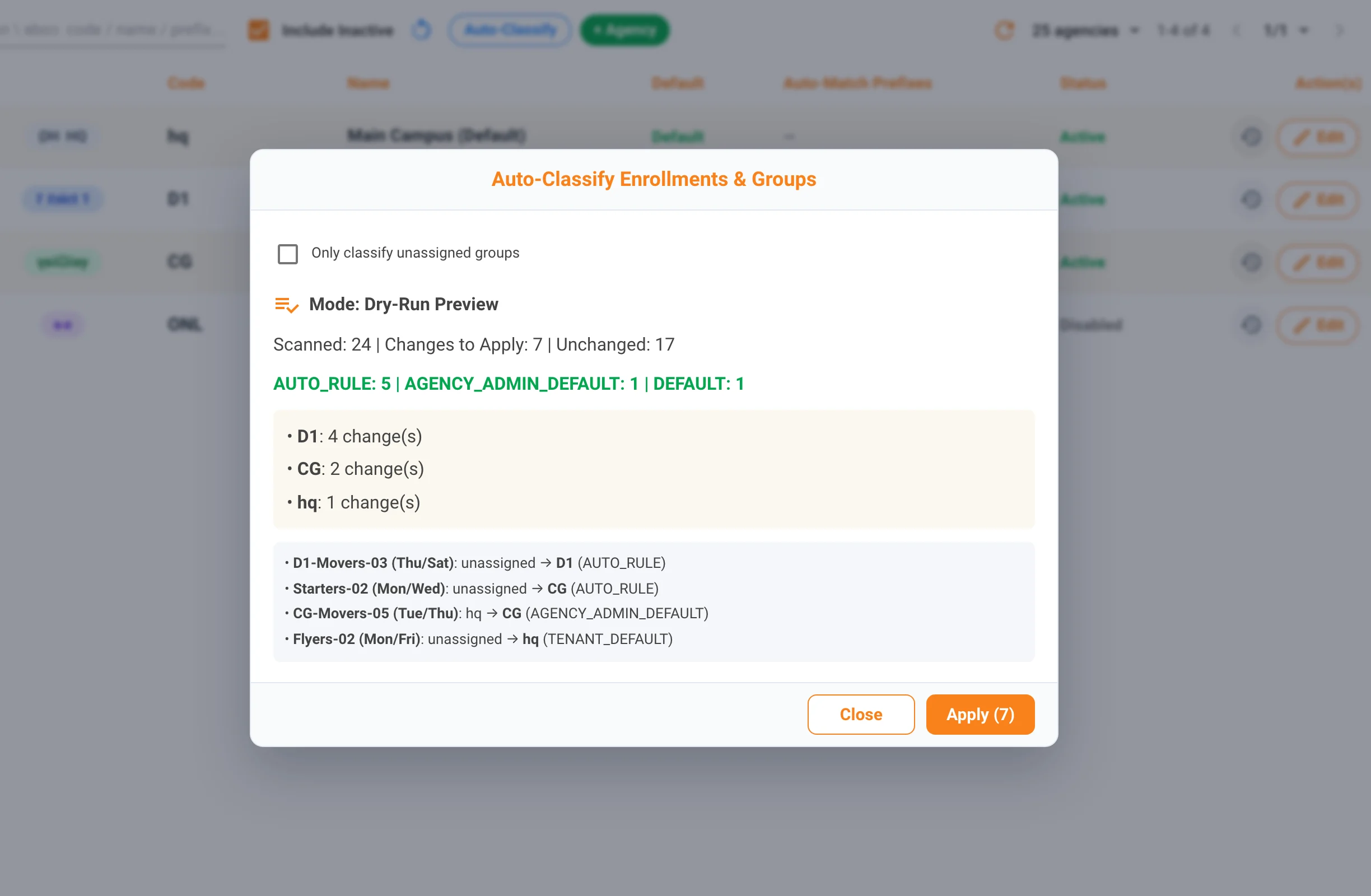
Auto-Match Prefixes(e.g.D1-,District 1, auto-matching- Offline,(Offline),[Offline]) and run Auto-Classify (Only classify unassigned groups,Scan Next Batchfor >500 groups) →Apply (N).
2. Configure Courses (Courses) & Pair .mp3 Audio
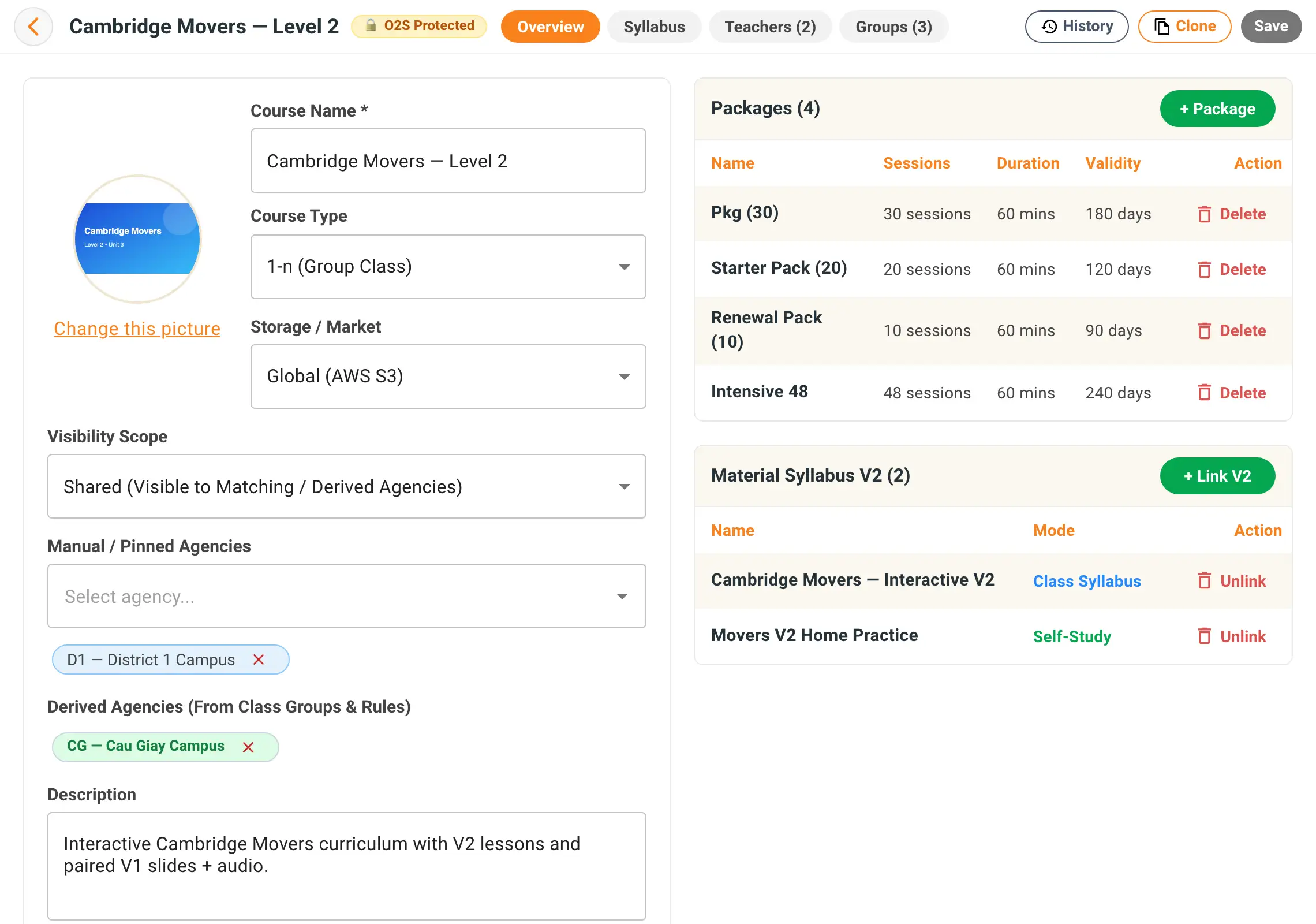
In Courses, filter Active / Disabled / Deleted, create (+ Course), enable/disable, restore, or Clone (optionally moving active groups & future sessions). Opening a course shows up to 4 tabs:
| Tab | What You Configure |
|---|---|
Overview | Course name, Course Type (1-1, 1-n, Self-Study — switches Groups ↔ Students live), Visibility Scope (Shared, Global, Restricted + Excluded Agencies), Storage / Market (Global / China Market), and + Package. |
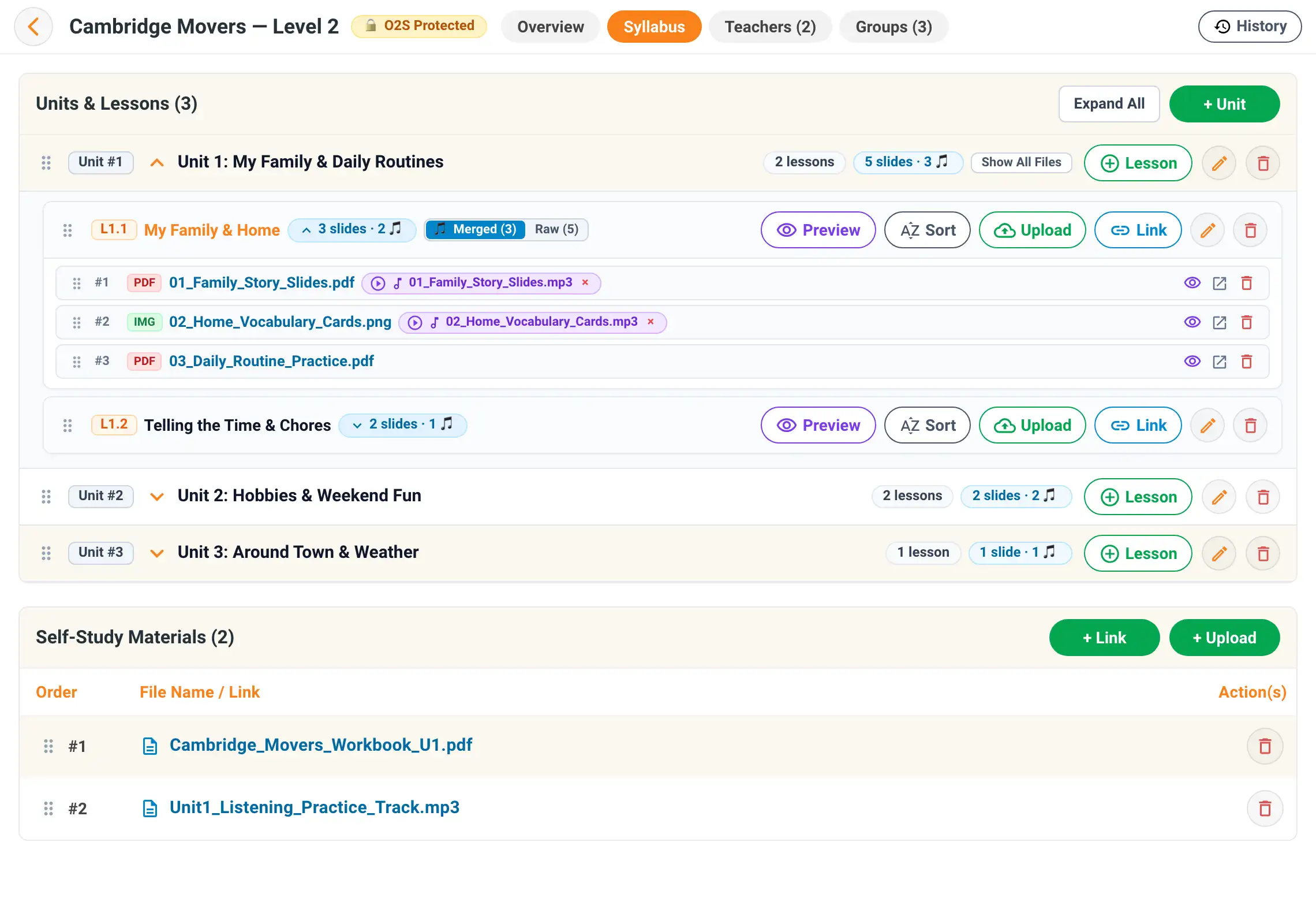
Syllabus | Link an O2S V2 interactive syllabus (blue) or upload a School V1 syllabus (orange): Units → Lessons → Files → Self-Study Materials, then click Save Syllabus. |
Teachers (N) | Assign School Teacher and central [O2S] instructors (hidden on Self-Study courses). |
Groups (N) / Students (N) | Manage class rosters (1-n) or 1-1 students. |
🏫 School Courses vs. O2S Protected (🔒 O2S) & Audio Pairing
- On
🔒 O2Scourses: base syllabus structure is locked (Agency Adminviews courses read-only), yet schools still manage operations freely: create+ Group, add school+ Package, edit students (no direct course transfer button — remove from old class and add to target class), and assign internalTeacheraccounts. - Audio Auto-Pairing (
V1): name.mp3/.wav/.opus/.m4aidentically to.pdf/.jpg/.png/.webp/.mp4; reorder safely inside🎵 Merged(▶inline playback), checkRaw/Sort, and clickSave Syllabus.
3. Create Accounts in Students, Teachers & Admins
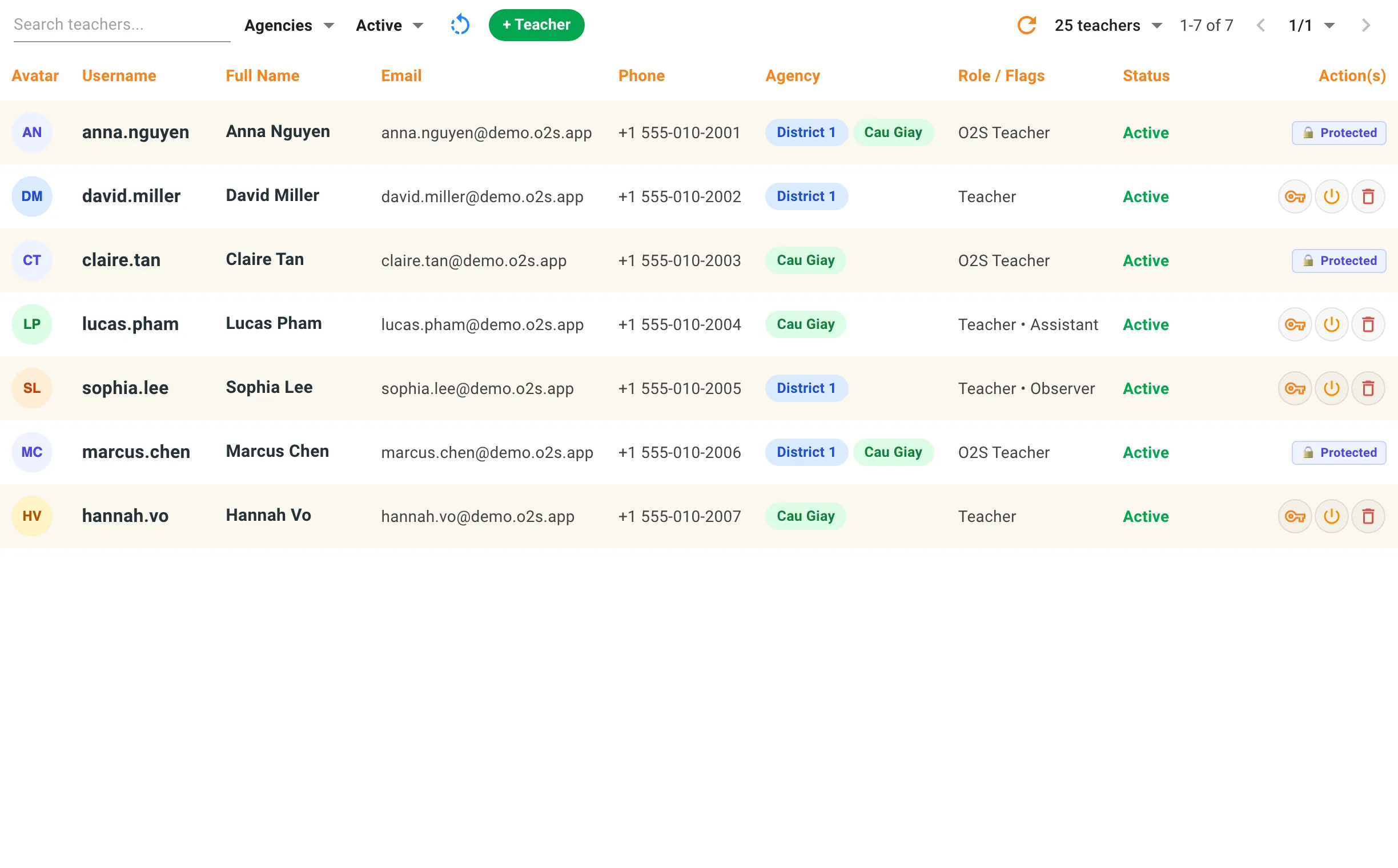
Students:Admin& in-branchAgency Admincreate via+ Student; optional classroom flags (Require Class Camera,Assistant Role,Observer Role—Agency Admincreates standard Student accounts only).Teachers: shown read-only toAgency Admin; managed byAdmin/O2S Admin. DistinguishesTeacher (Editable)from🔒 O2S Teacher(profile fields locked, yet SchoolAdmincan assignCourses,Groups, andSchedulesessions). Rule: One Teacher, One Account.Admins: SchoolAdmincreatesAgency Adminonly; creating peerAdminaccounts is restricted toO2S Admin.- Credentials & Deletion: tick
Show password after creation, reset via🔑(Emailstays locked post-creation); deleting, filteringDeleted, and clickingRestorerequireAdmin/O2S Admin.
4. Next Up: Groups, Packages, Scheduling & Audit Logs
👉 Continue to Chapter 2b — Class Groups, Package History, Smart scheduling & Audit Logs.