[O2S] Teachers Guide on O2S Base
Are you an internal School Teacher (signing in via
<school>.o2s.app) or looking for the full Smart Board 2.0 & Classroom Reference?Open School Teacher & Smart Board Guide →O2S Base (
https://base.o2s.app) is the dedicated portal for [O2S] Teachers, featuringClass (Live),Task, andMore → Profile.
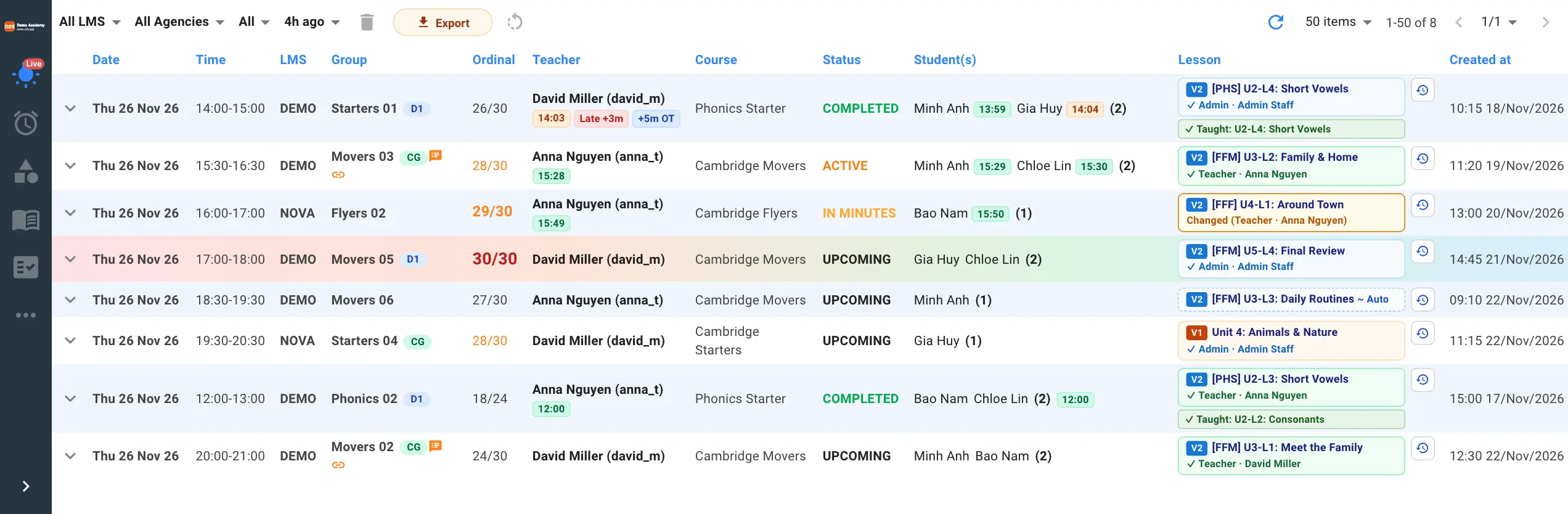
1. Unified 12-Column Table & Direct Classroom Entry
- Desktop Chrome / Edge Required (Windows / Mac / Linux): opening teacher classes on phones or tablets (including iPad) shows a compatibility notice and hides
Screen Share/Recorder. - Direct Join (
Time/Enter class): clickTime(Col 3) orEnter class(inside expanded row▼) to enter that school's live classroom directly (room opens 10 minutes early). - Quick Filters & Expand (
▼):- Click
Date,Group,Course, or a student chip to filter; clickOrdinal(26/30) to isolate that group and widen dates automatically. - Click
Status,Lesson, or anywhere outside a student pill inStudent(s)to expand/collapse (▼).
- Click
2. Expanded Session Panel (▼), Attendance & Teaching Time, Use Lesson & Next lesson
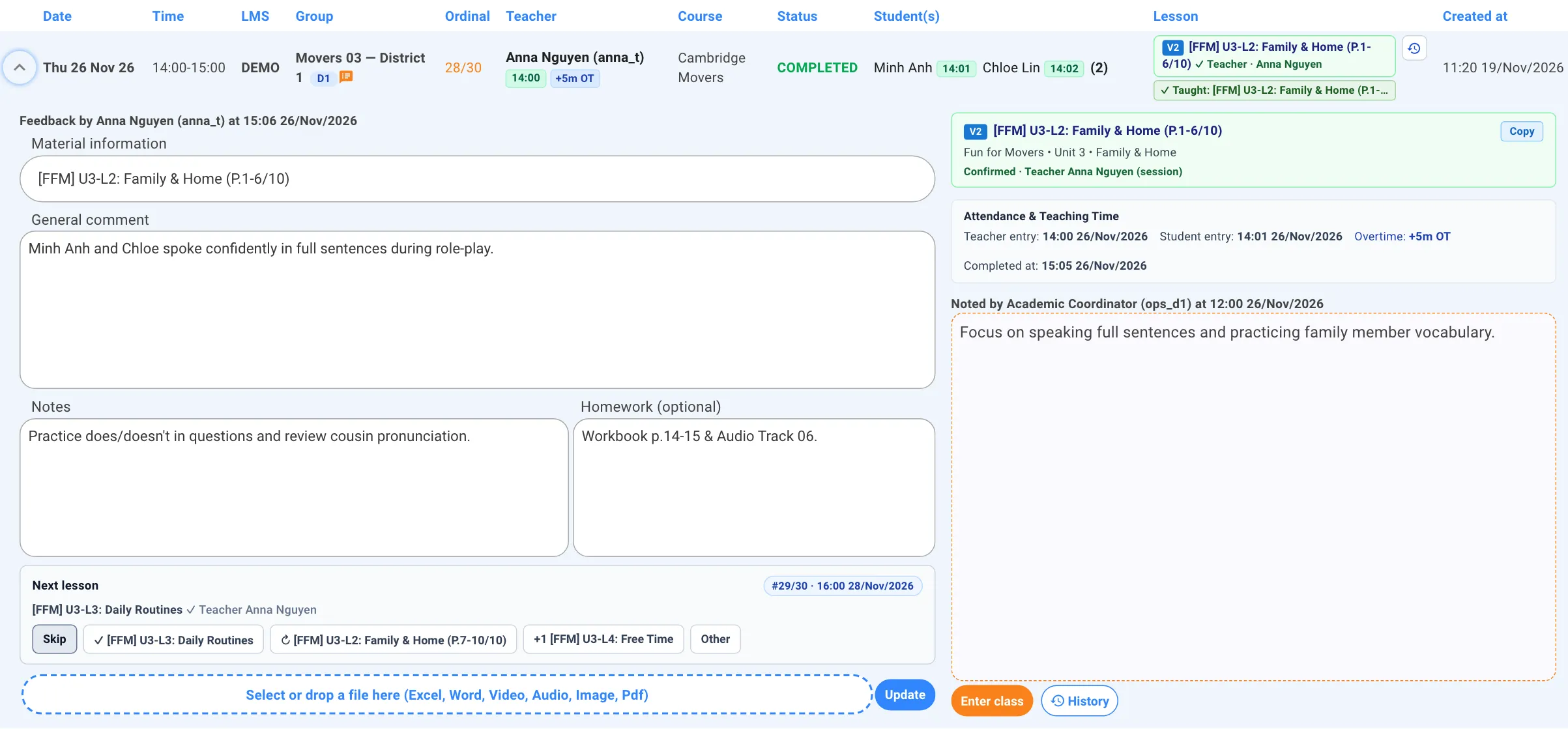
Expand ▼ (Col 1) to review attendance timing and submit feedback cleanly:
LessonCard (click to copy): distinct colors identify Teacher-confirmedV2vs. Admin-confirmedV2, school-uploadedV1,Changedschedule/progress shifts, or~ Autosuggestions.Attendance & Teaching Time& Coordinator Notes: review teacher/student entry times,Late/OTminutes,Completed at, and the dashedNoted by Academic Coordinatorcard from the school.- Submit
Feedback& PickNext lesson: clickUse Lessonto fillMaterial information; belowUpdate,Next lessondefaults toSkip(keeps current plan unchanged, or pick✓,↻,+1,Other; onChanged, keep prior choice or adoptNow:). Editable for 2 days (max8,000chars; daily email reminders cover missing feedback over7 days).
3. Read-Only History (2 Tabs), Classroom Tools & Personal Export
- Check
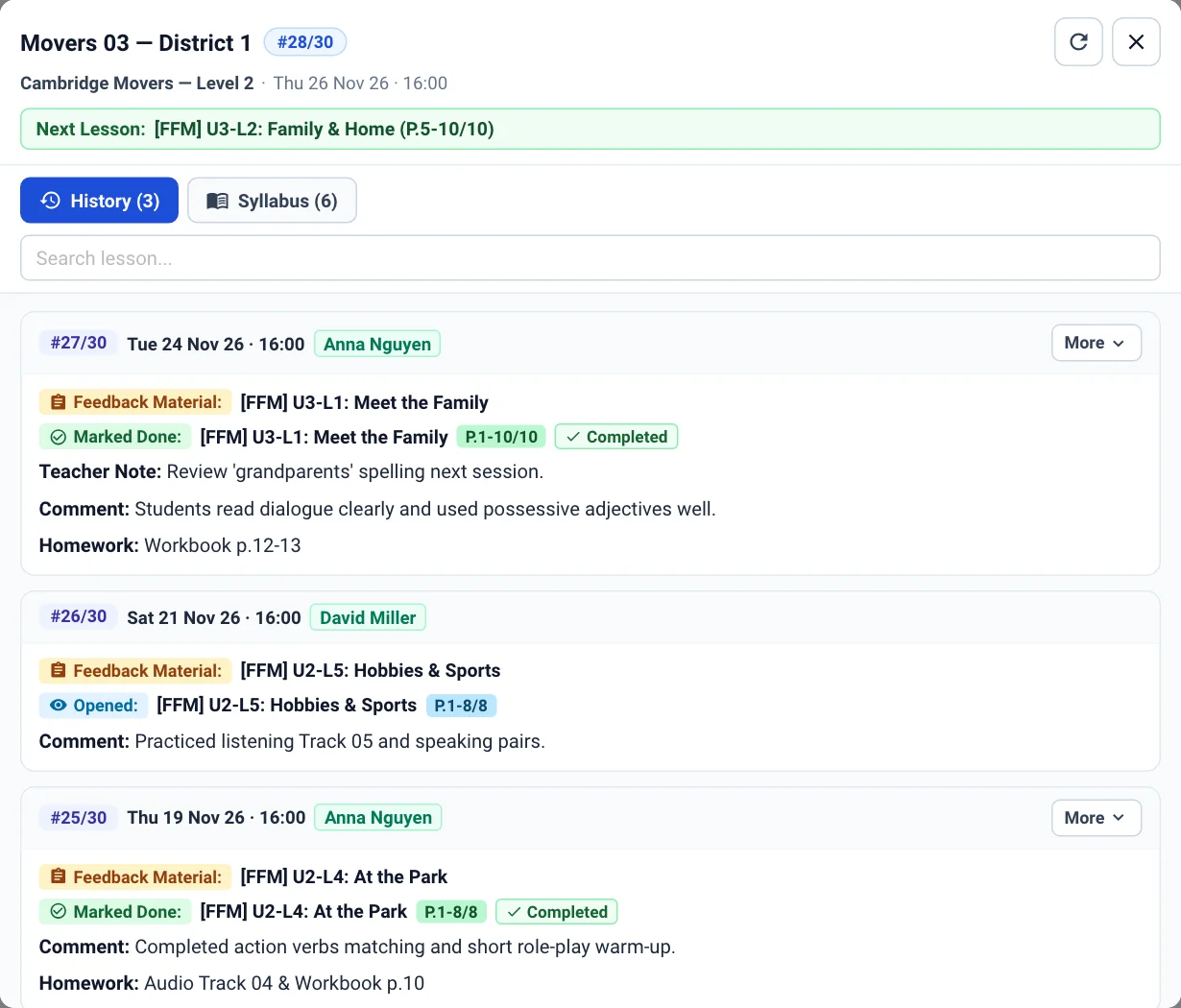
HistoryBefore Class: clickHistoryon theLessoncell or besideEnter class(clickRetryon hiccups) to inspect read-onlyHistory (N)andSyllabus (N)tabs.
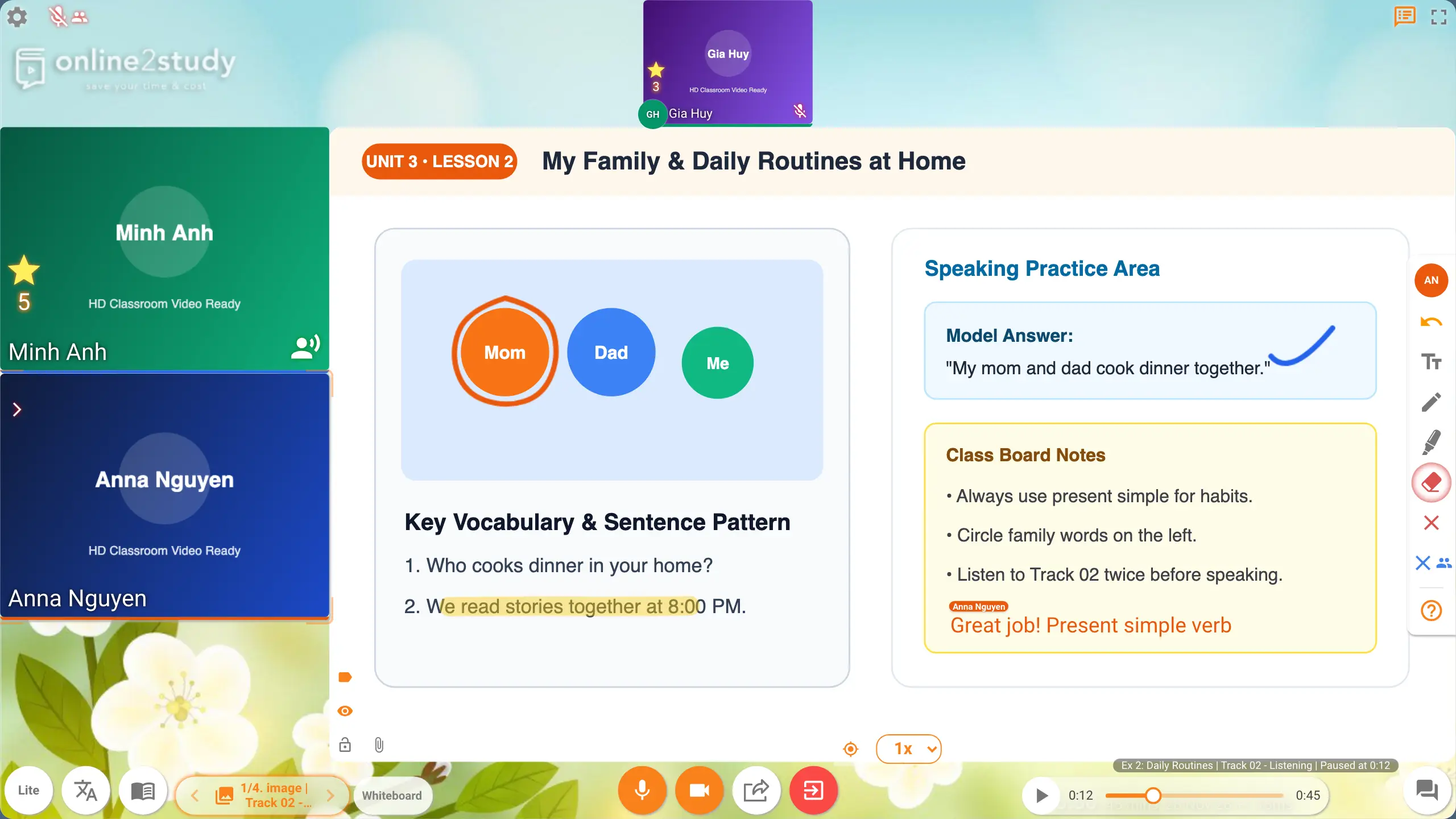
Smart Board 2.0&Save & leave: use full whiteboard tools, synced.mp3player, Screen Share, 3-mode Quiz, and tick completed items onExiton/after class date — see Chapter 4 — Teaching & Smart Board 2.0.
- Export Own Schedule (
Export): clickExportin the O2S Base toolbar to download your own classes to.xlsx(up to366 days; clickSwitch to Fastduring evening peak17:00–22:00when exporting wide spans).