

2b. CMS 2.0: Groups, Packages, Schedule & Audit Logs
Covers creating classes (
Groups), tracking session packages, scheduling (Schedule/Smart scheduling), and inspecting system logs (Logs). For Branches, Courses, and User Accounts, see Chapter 2 — CMS 2.0 Basics.
1. Manage Class Groups (Groups) & Package History
- Create Group (
+ Group) & Status Filters: filter byActive / Disabled / Deleted(Restorerestricted toAdmin/O2S Admin; hybrid[O2S]groups protected). Renaming a class inGroupsupdates O2S Base automatically. - Package Progress (
Sessions): displays scheduled / total package sessions (e.g.26 / 30) alongsideN makeup pendingandN countedbadges.
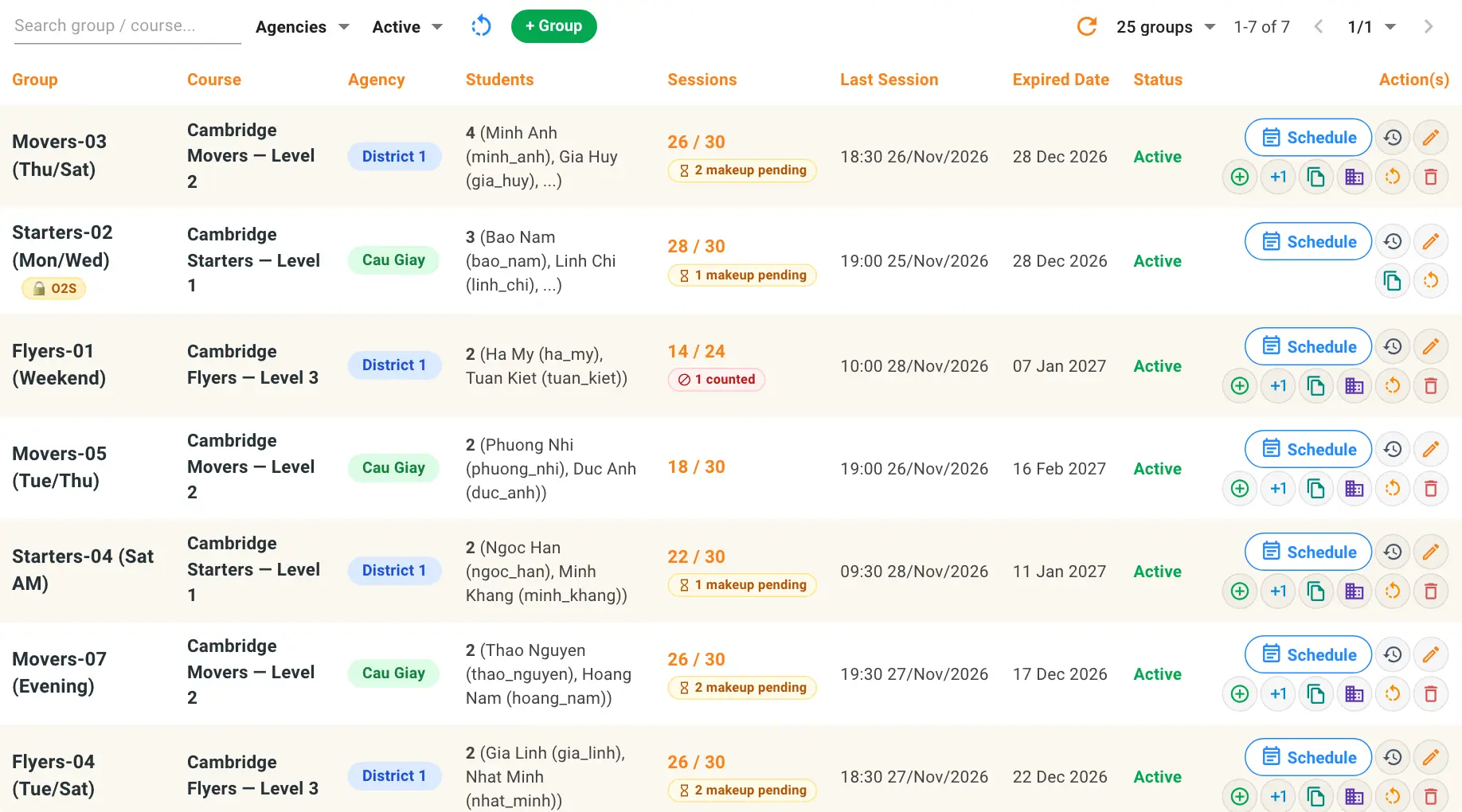
| Icon | Action & Scope |
|---|---|
📅 Schedule (or click 26 / 30) | Open class session scheduler & Smart scheduling assistant. |
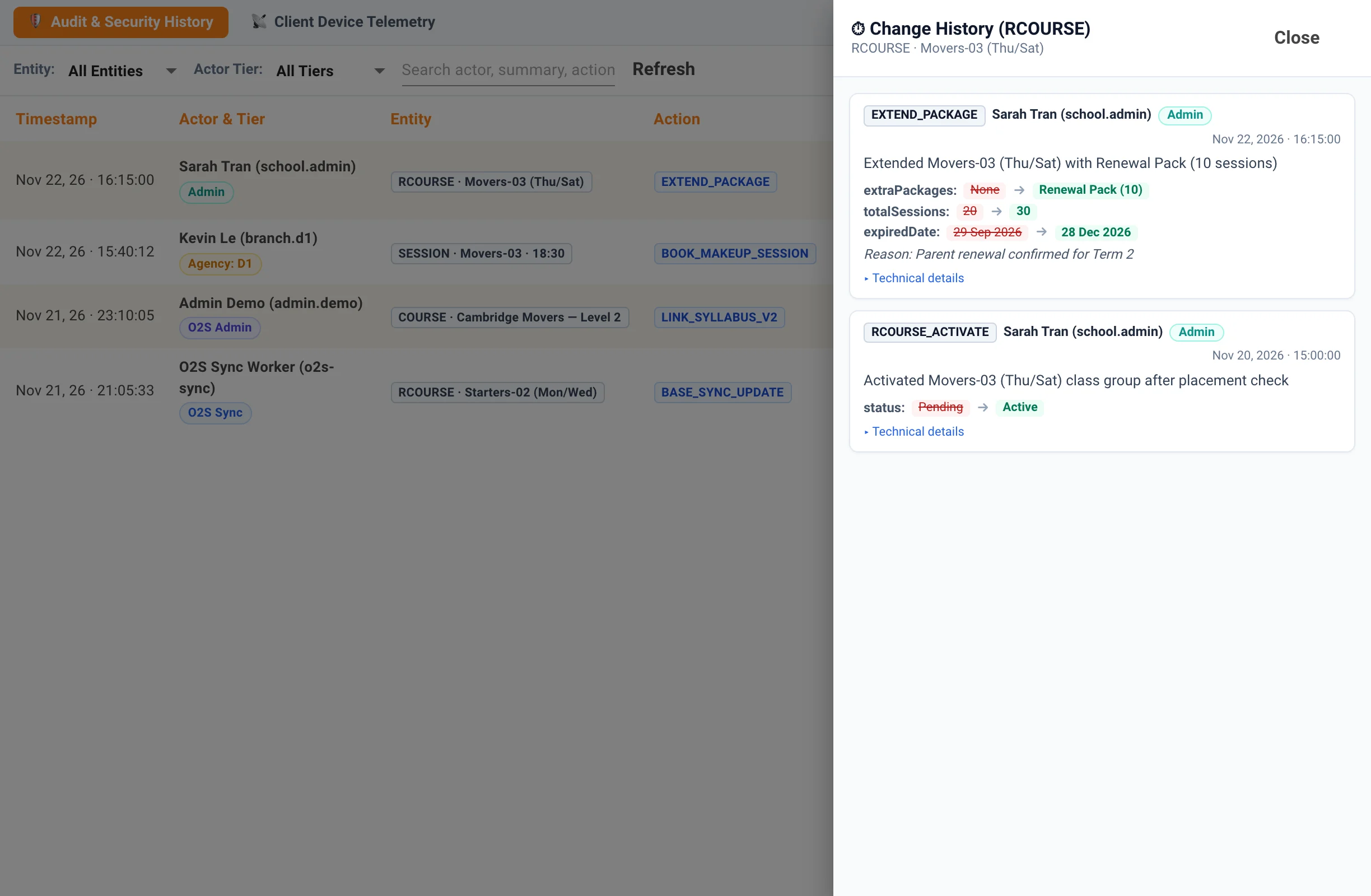
🕒 Group Change History | Open slide-out change history drawer (before → after diffs). |
✎ Edit Group & Students | Edit group name (syncs to Base) and enrolled student roster. |
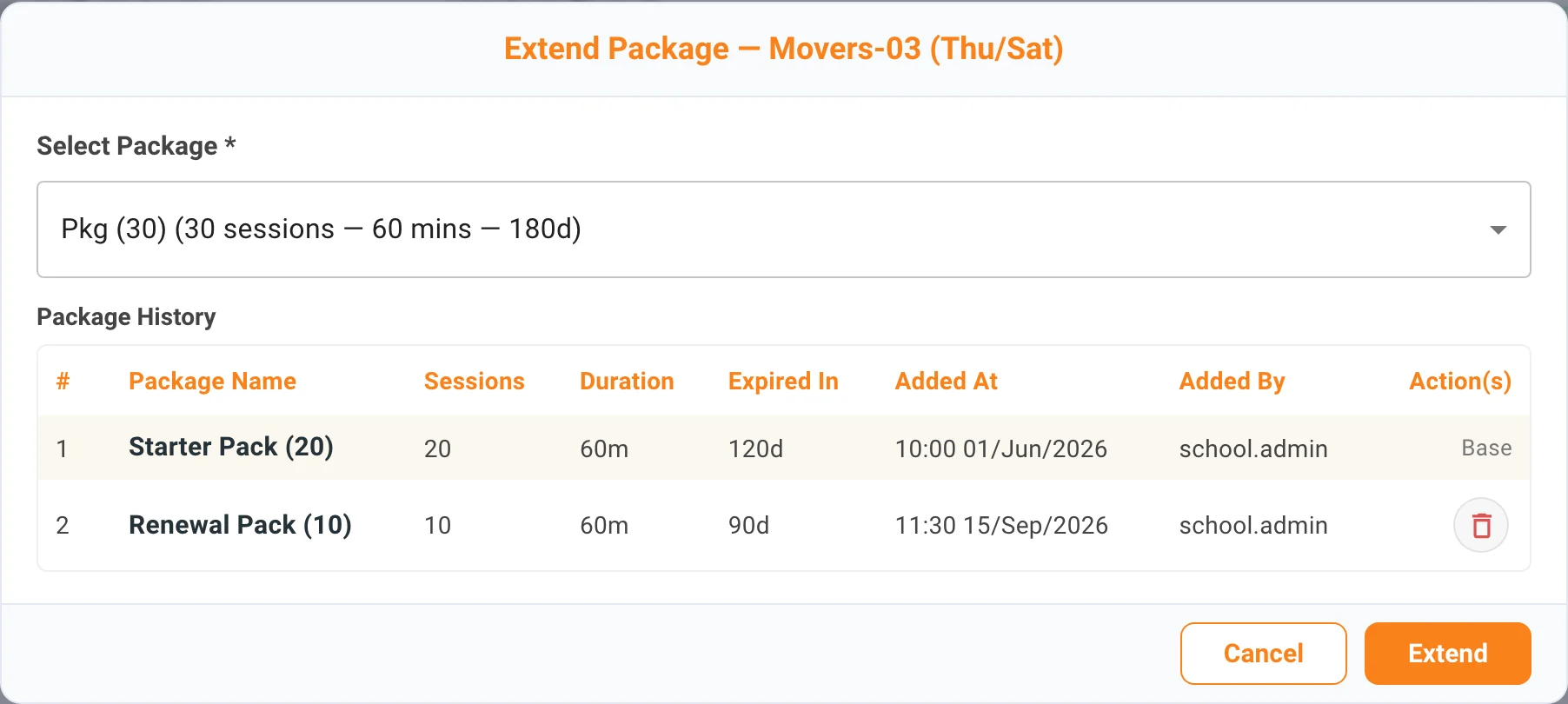
⊕ / +1 Extend Package / Add Extra | Renew package, remove mistaken packages in Package History, or add extra sessions. |
| 📋 / 🏢 / ↺ | Copy roster to another course, reassign agency branch, or reset syllabus progress. |
2. Manual Scheduling (4 · 8 · 12 · Max) & Smart scheduling
- CMS
Groups → Schedulevs.Event Board → Schedule:- Inside CMS
Groups → Schedule(1-nclasses): showsLow conf.,Med conf.,Skips N holiday(s),O2S availability unknown,Book makeups (N),Auto-book N, andRefresh(plusReapply (>24h)&Top-Up Windowif a rotation policy exists). - To stage suggestions into a draft grid (
Add N to draft) or create/save a new Multi-Teacher Rolling Rotation policy, openSchedulefromEvent Board(see Chapter 3b).
- Inside CMS
🔄 One teacher / By weekday / By cycle Modes & Draft Conflict Legend
- Click
Continue after kbesideUpcoming sessions (k/N)to pre-fill the next class date and time. - Choose
One teacher(with4 · 8 · 12 · Maxshortcuts),By weekday(per-weekday teacher, time & Track), orBy cycle(weighted rotation counted byBookedorTaught). ConfigurePlan ahead(1..12 weeks) usingSave rule,Save and update upcoming(updates >24h rotation sessions while keeping manual edits), andTop up now. - Verify
Draftchips before clickingBook N sessions: AmberTeacher busy(includes[O2S]cross-school conflicts; showsO2S availability unknown+Refreshif unavailable), PurpleGroup clash, RedBoth, BlueDuplicate, GreenOK.
3. Device Telemetry & Audit Logs (Logs)
(Visible exclusively to Admin and O2S Admin; hidden from Agency Admin).
📡 Client Device Telemetry: filter student/teacher hardware errors byUser,Date range,Tag,Module,Level,OS,Browser, or a linkedSessionchip.🛡️ Audit & Security History: filter administrative edits byEntity,Actor Tier(O2S Admin,Admin,Agency Admin,O2S Sync),Search, and click⏱ Viewto open exact field-levelbefore → afterdiffs.
⚙️ Optional Feature: Teacher Time Slots for 1-1 Student Self-Booking
- Most schools schedule fixed classes and make-ups via
Groups → ScheduleandEvent Board → Schedule. TeacherTime Slotsare only needed if your school enables student 1-on-1 self-booking from the student portal.