

Student & Parent Guide
1. Joining Class, Classroom Tools & Self-Study
How to Join Class Correctly
- Sign in via
Chrome,Safari, orEdgeathttps://<school>.o2s.app(China:lms.online2study.cn) — never join inside Zalo, WeChat, Facebook, or Messenger (tap⋮/...→ Open in Chrome / Safari) and avoid Incognito/Private mode so Mic, Camera, and login cookies stay allowed. - Classrooms open 10 minutes early;
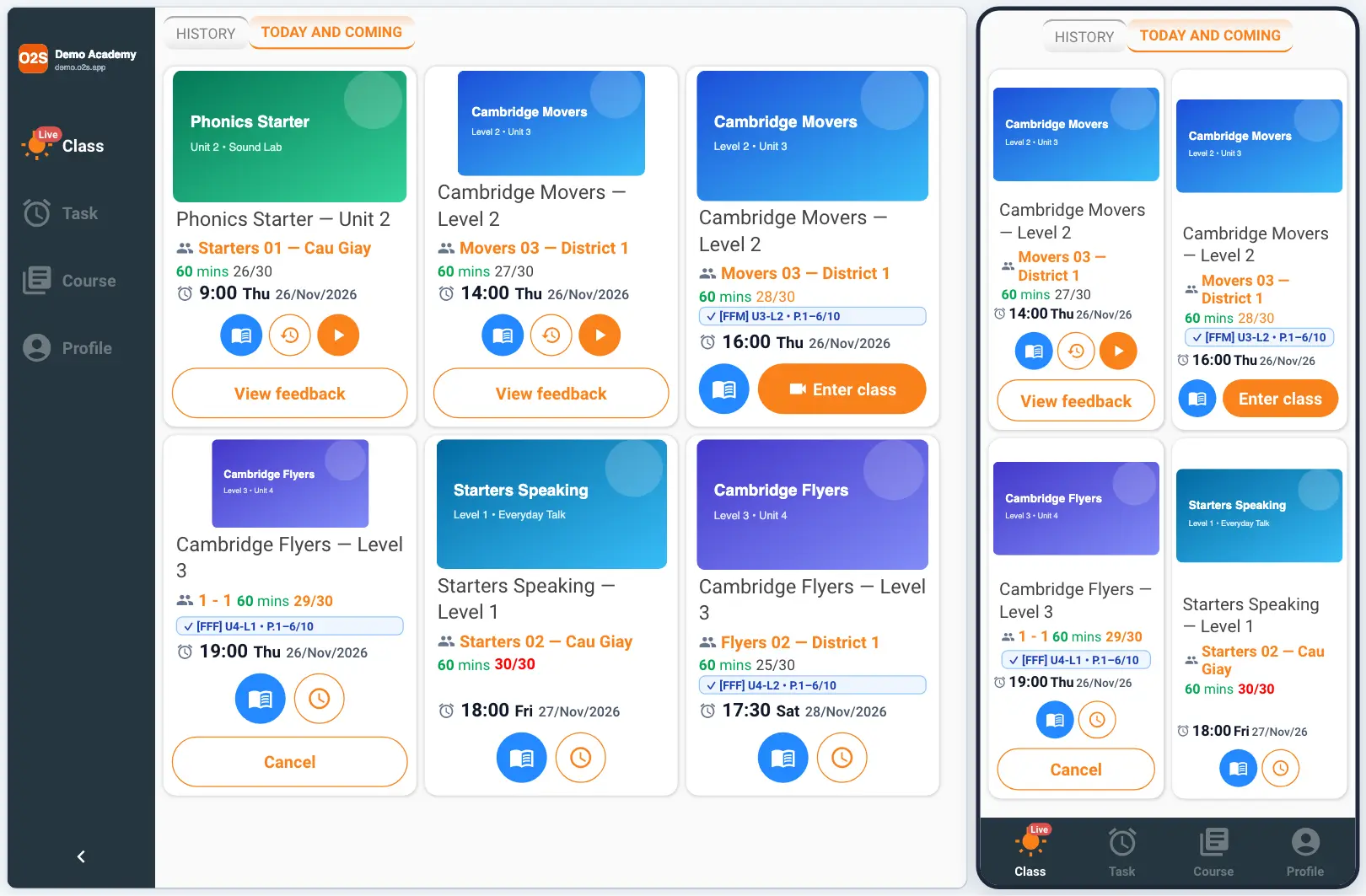
Enter class(or camera icon) highlights from 15 minutes before start through 15 minutes after end (outside that window it shows a clock or history icon; clicking a non-live slot while another class session is live lets you jump directly to the live session). - Click
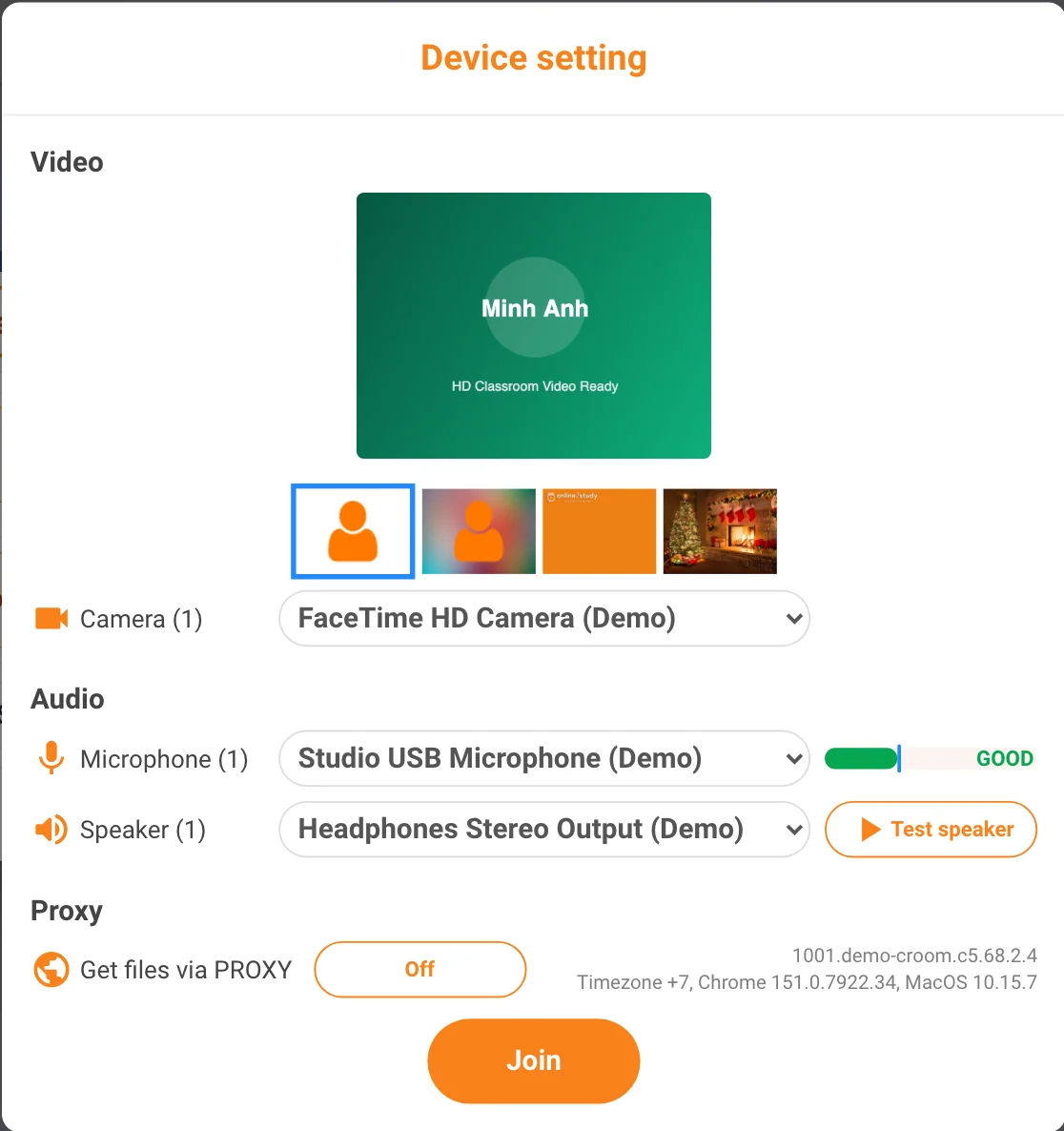
Enter class→ runTest speaker/ check Mic & Camera (missing/blocked mic? clickJoin (No Mic)to listen cleanly; Zoom/Meet links open in a popup; multi-role users chooseJoin as).
Helpful Tools Inside Class
Smart Board 2.0: draw using mouse, trackpad, or iPad / Apple Pencil (automatic palm rejection +2-finger tapUndo; zoom & pan follow the Teacher so everyone sees the exact spot; tap?for shortcuts).- Raise Hand (Bottom-Right) & Switch Camera: tap the hand icon to speak (auto-unmutes when teacher accepts) or toggle front/rear camera on your own tile.
- 5-Language AI Dictionary &
Chat: look up words acrossEN / ZH / JA / KO / VI(keeps last 20 words,Esccloses); inChat,Entersends andCtrl+Enteradds a newline. - Media Prompts & Proxy: tap
Continue,Play,View sharing screen,View video, orReadyif autoplay waits; tap inlineEnable Proxyor turn onLite/Get files via PROXYunder ⚙️ Settings.
Replay Recordings, Feedback & Practice (Self-Study)
- Open any completed card for
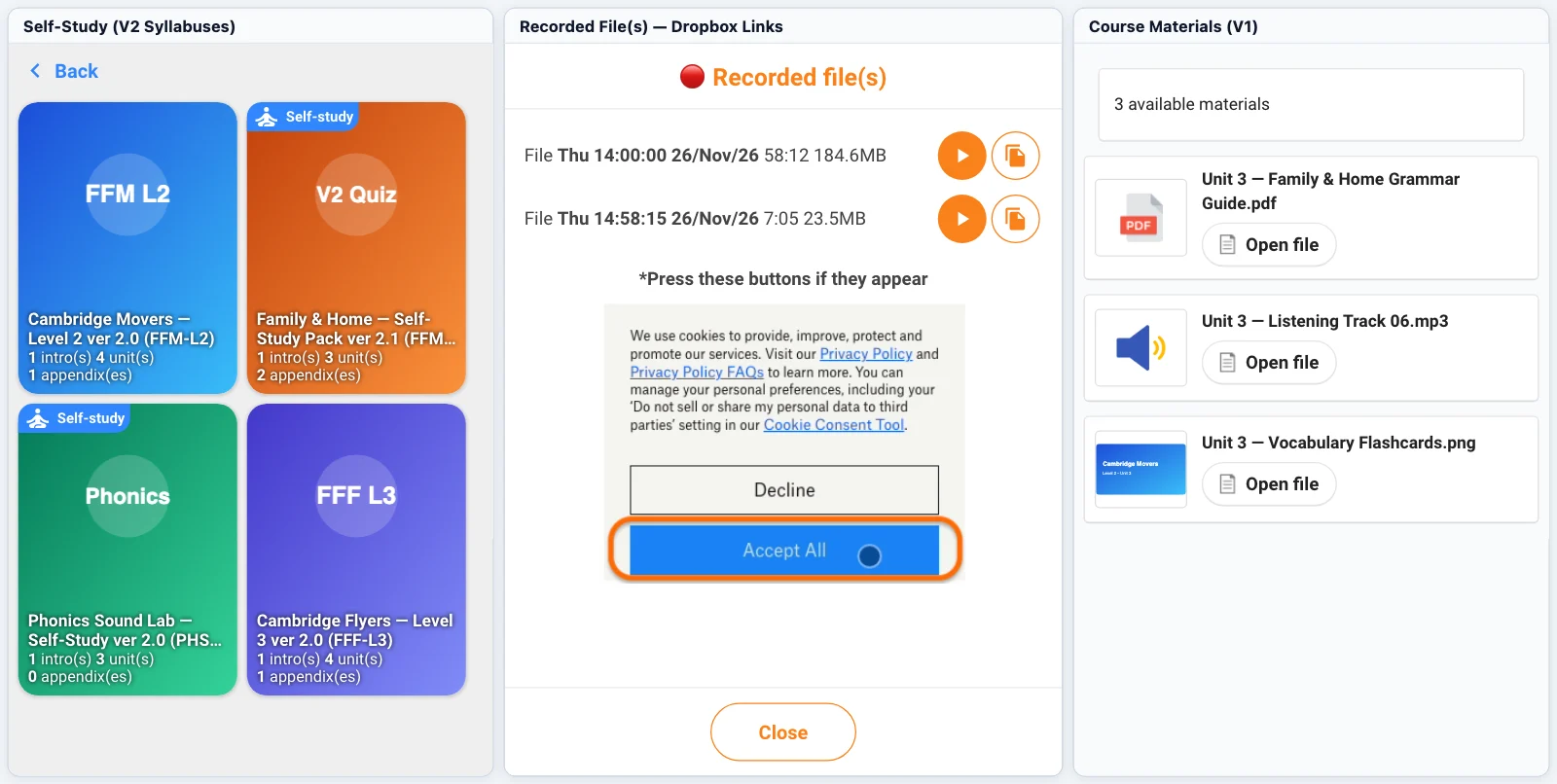
Recorded file(s)(or shared Dropbox links; localMy recordingsshows only on desktop non-Safari browsers) andView feedback(Notes,Homework,Done files). - Launch
Self-Study(V2interactive exercises +Self-checkingQuiz with2attempts per question) orCourse→Course Materials(V1).
2. Fixing Mic, Camera & Speaker Alerts
⚠️ Zalo/WeChat & iOS 14.8 – 15.6 Audio Notes
iOS 14.8 – 15.6on iPhone / iPad: older Safari speaker output can be quiet — upgrade toiOS 15.7+or wear wired / Bluetooth headphones.
3. Student Portal 4-Tab Menu (<school>.o2s.app)
(Students navigate across these 4 sections).
| Tab | What You Find Inside |
|---|---|
Class | Today and coming (schedule & Enter class), History (recordings & View feedback), My recordings (desktop non-Safari only). |
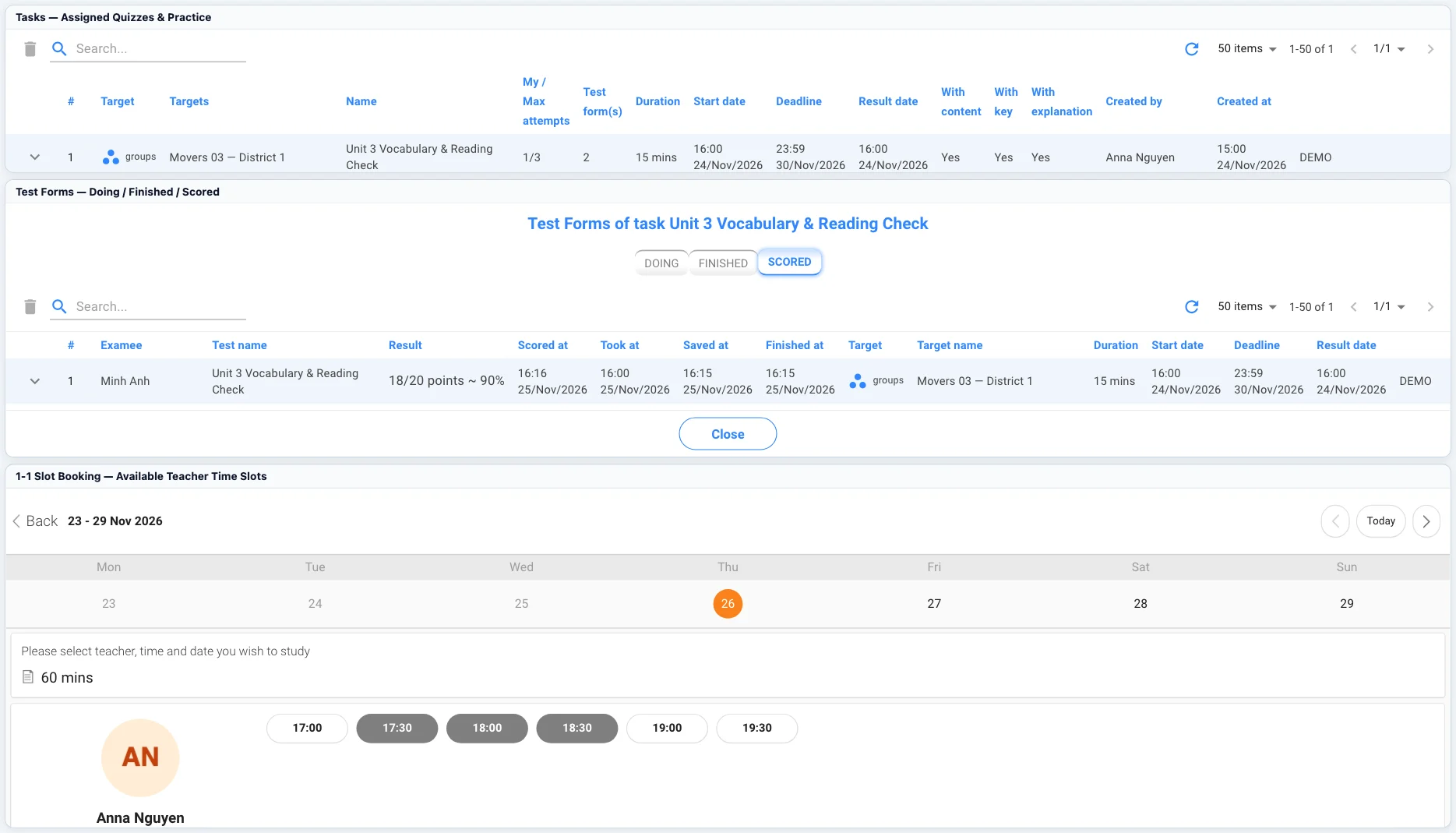
Task | Online homework/tests grouped by Task, Doing, Finished, Scored (click Retry on network hiccups). |
Course | My Session (progress), Course Materials (PDF/Audio/Video/Images), and Teacher (pick 1-on-1 Time Slots if enabled). |
Profile | Account details, Change password (min 6 chars), Log out. |
🗓️ 1-on-1 Self-Booking (Time Slots) & Cancel Rule
- If enabled by your school, select open
Time SlotsunderCourse→Teacher; taken slots or empty packages explain why inside the confirmation popup. - For
1-1sessions, Students can clickCancelmore than 2 hours before start time.